Entertainment
YouTube MP4 Download: What It Means and What’s Actually Legal

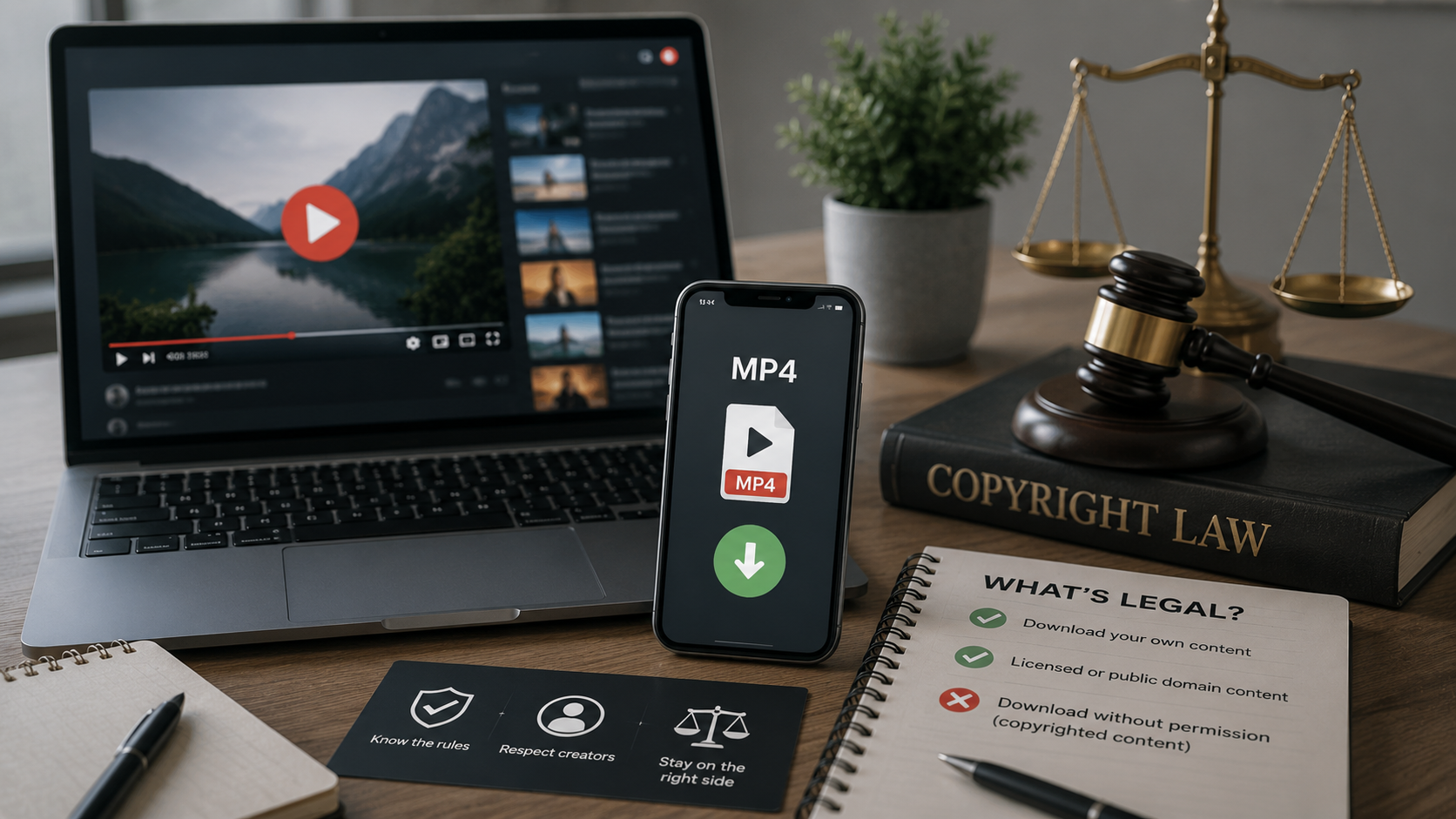
Searching YouTube MP4 download usually comes from a simple, practical need: wanting to watch a video without an internet connection, save something before it gets taken down, or keep a copy of content for personal reference. The tricky part isn’t the intent — it’s that most of the tools built to do this operate in a gray area that can carry real legal, security, and quality risks. This article walks through what’s actually going on when people search for this, what YouTube’s own rules say, and which options are both safe and legitimate.
Direct Answer: What Does YouTube MP4 Download Mean?
YouTube MP4 download refers to saving a YouTube video as an MP4 file on a device, typically using a third-party website or app rather than YouTube itself. YouTube’s Terms of Service prohibit downloading videos except through features YouTube explicitly provides, such as the offline download option available with YouTube Premium or on videos a creator has specifically enabled for download. Most third-party MP4 downloader tools operate outside these terms and can carry copyright, security, and reliability risks.
Why People Search for This
A few common situations drive most of the search volume behind YouTube MP4 download:
- Offline access. Someone wants to watch a video on a flight, during a commute, or in an area with unreliable internet.
- Preserving content. A video might get deleted, made private, or removed for copyright reasons, and someone wants a personal backup before that happens.
- Working with the file. Some users want to use a clip in an editing project, extract audio, or repurpose footage for a specific personal use case.
- Data or storage habits. Streaming repeatedly can use more mobile data than downloading once and rewatching offline.
These are all reasonable goals. The complication is that “how” you get to an offline MP4 file matters, both legally and practically.
What YouTube’s Terms Actually Say
YouTube’s Terms of Service state that users may only download a video if a download or offline access link is clearly marked on the service, such as YouTube Premium’s offline download feature. Downloading a video by any other method, including third-party converter sites and browser extensions, generally violates those terms, regardless of whether the video itself is copyrighted or freely licensed.
This distinction matters because it means the legality question isn’t only about copyright. Even downloading a video that’s freely available to watch can still violate YouTube’s terms of service if it’s done through an unauthorized method, separate from whether the underlying content itself is protected by copyright.
Copyright and Ownership Considerations
Beyond YouTube’s own rules, most videos on the platform are protected by copyright, owned by the creator or the company that produced them. Downloading and keeping a copy of a copyrighted video without permission can raise copyright concerns independent of YouTube’s terms, particularly if that file is later shared, reposted, or used publicly.
A smaller portion of YouTube content is published under licenses that explicitly allow reuse or downloading, such as Creative Commons–licensed videos or content in the public domain. For that category of content, downloading and reuse is generally permitted, though it’s still worth checking the specific license terms attached to the video, since Creative Commons licenses come in several variations with different requirements around attribution and commercial use.
Legitimate Ways to Save YouTube Videos for Offline Viewing
YouTube Premium’s Built-In Download Feature
The most straightforward, fully legitimate option is YouTube Premium, YouTube’s paid subscription tier. It includes an official offline download feature inside the YouTube app that lets subscribers save videos for offline playback within the app itself. This keeps the video tied to your account and the app rather than producing a separate MP4 file you can move elsewhere, but it fully satisfies the common goal of offline access without raising copyright or terms-of-service issues.
Creator-Enabled Downloads
Some creators enable a direct download option on specific videos, visible as a download icon beneath the video player. When this option is present, it means the uploader has explicitly allowed downloads for that particular video, making it a legitimate way to save a copy.
Requesting Permission Directly
For content you want to reuse, repost, or keep long-term outside of personal offline viewing, reaching out to the video’s creator or rights holder directly is the most reliable way to get a clear answer on what’s allowed. Many creators are open to this, especially for educational, nonprofit, or clearly non-commercial uses, and getting explicit permission avoids the ambiguity that comes with unauthorized downloading.
Why Third-Party Downloader Tools Carry Risk
Most sites and apps offering “YouTube to MP4” conversion operate outside YouTube’s terms of service, and that comes with a few practical downsides worth knowing about.
Security risk. Some downloader sites bundle ads, browser extensions, or software that can include malware, adware, or unwanted tracking tools. Because these sites aren’t vetted the way official app stores review their listings, the risk of encountering something harmful is meaningfully higher.
Reliability issues. Third-party downloaders frequently break when YouTube updates its systems, produce corrupted files, or generate lower-quality output than what’s actually available on the original video.
Account and legal exposure. Repeated terms-of-service violations tied to an account can affect that account’s standing on YouTube. Separately, downloading and redistributing copyrighted material without permission can expose someone to copyright claims, independent of any issue with the downloader tool itself.
No support or accountability. If a third-party tool misuses your data, injects unwanted software, or simply stops working, there’s typically no customer support or accountability structure behind it, unlike an official platform feature.
Common Mistakes and Misconceptions
Misconception: If a video is publicly viewable, it’s automatically fine to download. Being able to watch something for free doesn’t mean you have the right to download and keep a permanent copy. Public visibility and download permission are two different things.
Misconception: All downloader websites are equally safe. Even among tools that don’t obviously look sketchy, there’s wide variation in what they install alongside the actual video file, and it’s difficult for an average user to verify that from the outside.
Mistake: Assuming personal use removes all legal risk. While personal, non-distributed use is generally lower risk than reposting or redistributing content, it doesn’t eliminate the underlying terms-of-service violation involved in using an unauthorized downloader in the first place.
Misconception: Creative Commons means “anything goes.” Creative Commons licenses vary. Some require attribution, some prohibit commercial use, and some prohibit derivative works entirely. Downloading Creative Commons content doesn’t automatically mean you can use it however you want.
Real-World Example
Imagine someone wants to save a cooking tutorial to watch later on a flight with no Wi-Fi. Using YouTube Premium’s offline download feature accomplishes exactly that goal — the video is available inside the app with no internet connection needed, and nothing about the process conflicts with YouTube’s terms or the creator’s rights.
Compare that to using a third-party “YouTube to MP4” website instead. The immediate goal — offline access — gets met either way, but the second approach adds real risk: potential malware from the download site, an unclear copyright standing on the resulting file, and no guarantee the video quality or completeness matches the original. Same underlying need, very different risk profile depending on the method.
Key Facts
- YouTube’s Terms of Service only permit downloading through officially provided features, such as YouTube Premium’s offline download tool or a creator-enabled download button.
- Most third-party “YouTube to MP4” websites and apps operate outside those terms.
- Being able to watch a video for free doesn’t mean downloading it is automatically permitted.
- Creative Commons–licensed and public domain videos generally allow more flexible reuse, but license terms still vary and are worth checking.
- Third-party downloader tools carry real risks, including malware, unreliable output, and potential copyright exposure.
FAQ
Q1: What is a YouTube MP4 download?
Ans: It refers to saving a YouTube video as an MP4 file on a device, most often through a third-party website or app rather than an official YouTube feature.
Q2: Is downloading YouTube videos as MP4 files legal?
Ans: It depends on the method and the content. Using YouTube’s own Premium offline feature or a creator-enabled download button is fully within the rules. Using unauthorized third-party tools generally violates YouTube’s terms of service and can raise copyright concerns.
Q3: Is it safe to use YouTube to MP4 converter websites?
Ans: These sites carry real risks, including malware, unwanted software, and unreliable output, since they aren’t reviewed or vetted the way official app stores review their listings.
Q4: What’s the legal way to watch YouTube videos offline?
Ans: YouTube Premium includes a built-in offline download feature designed specifically for this purpose, and it doesn’t require any third-party tools.
Q5: Can I download Creative Commons YouTube videos?
Ans: Often yes, but the specific license attached to the video determines what you can do with it, including whether attribution is required or commercial use is allowed.
Q6: What should I know before using any downloader tool?
Ans: Check whether the video has an official creator-enabled download option first, and be aware that most third-party alternatives operate outside YouTube’s terms of service and carry security and legal risk.
Key Takeaways
- “YouTube MP4 download” usually means saving a video file through a method outside YouTube’s official tools.
- YouTube’s terms only permit downloading through features it explicitly provides, like Premium’s offline mode or creator-enabled downloads.
- Most third-party downloader sites and apps violate those terms and carry security, reliability, and copyright risks.
- Public visibility of a video doesn’t equal permission to download and keep it.
- YouTube Premium and creator-enabled downloads are the most reliable, risk-free ways to get offline access.
Conclusion
The need behind most YouTube MP4 download searches watching something offline, keeping a personal backup, or reusing content is completely reasonable. The safest path to that goal runs through YouTube’s own tools, like Premium’s offline download feature or videos where a creator has explicitly enabled downloading, rather than third-party converter sites that operate outside YouTube’s terms and come with real security and legal trade-offs. Knowing that distinction upfront makes it much easier to get what you actually want without the risk that comes with unauthorized tools.
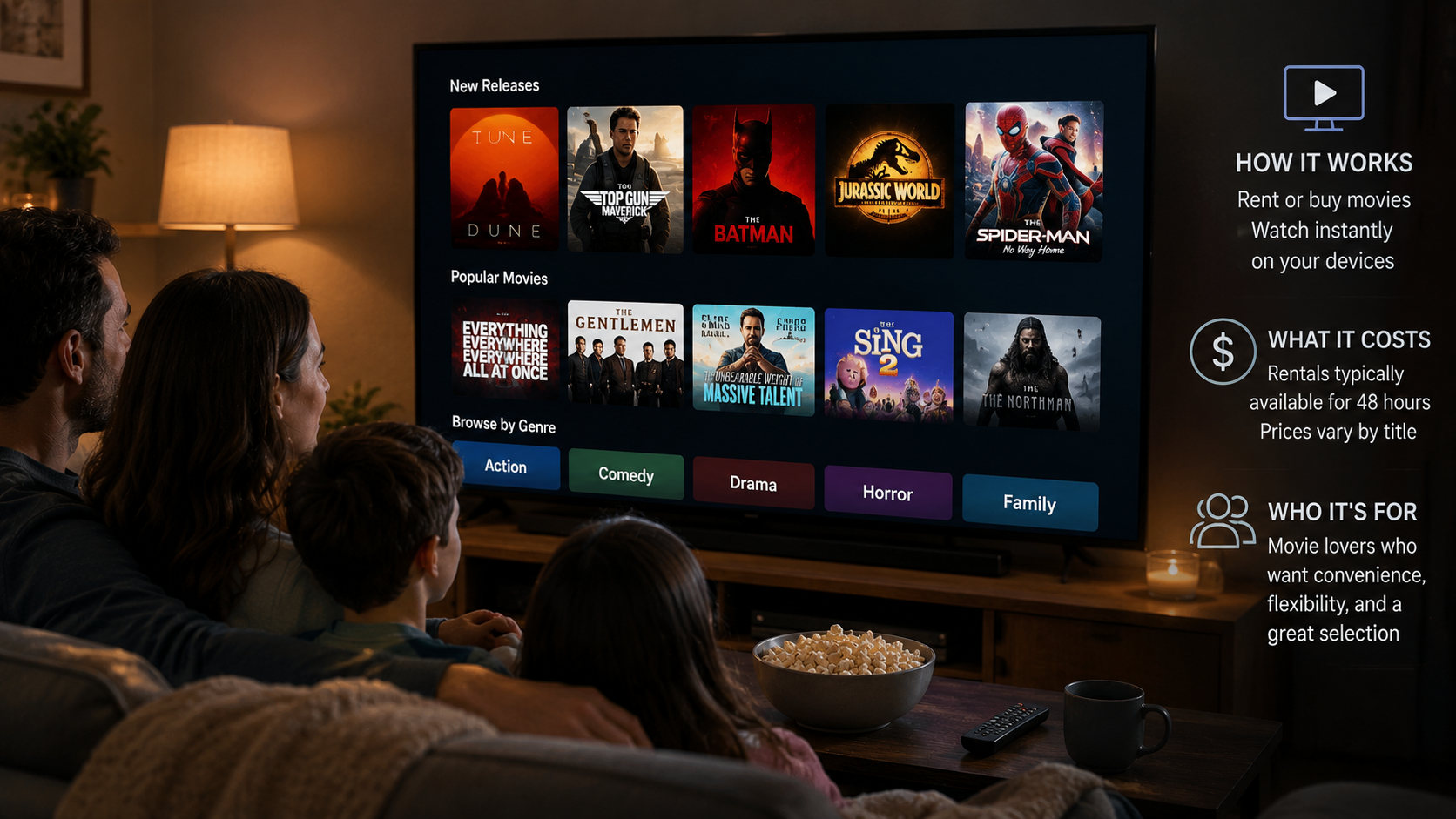
Streaming used to mean one simple choice: pick a service, pay the monthly fee, and start watching. That’s changed. Most households now juggle three, four, or more subscriptions, and the total bill often rivals what people used to pay for cable. That frustration is a big reason so many people go looking for alternatives that don’t lock them into a recurring charge.
This platform is one of those alternatives. Rather than billing you every month whether you watch anything or not, it lets you pay only for the specific movies and shows you want. You can rent a new release for a few dollars, buy a favorite to keep permanently, or watch from a large library of free, ad-supported titles.
This article walks through exactly how the service works, what devices it supports, what it costs, and the kinds of viewers it fits best. It also covers a name change that’s been rolling out through 2026, since you’ll likely see references to both the old and new branding for a while.
Direct Answer: What Is Fandango At Home?
Fandango At Home is a transactional video-on-demand platform, formerly known as Vudu, that lets you rent, buy, or stream movies and TV shows without a monthly subscription. It carries more than 250,000 titles, including new releases available in 4K UHD, plus thousands of free, ad-supported movies and shows. The service runs on smart TVs, streaming devices, phones, tablets, and web browsers, and it’s operated by Fandango Media, a joint venture between Versant and Warner Bros. Discovery.
Where the Service Came From
The name on the app icon today is the result of three different rebrands, and each one tells you something about how the business has evolved.
It began in 2004 as Vudu, one of the earlier digital movie stores built specifically around online rentals and purchases rather than physical discs. Walmart bought Vudu in 2010 and ran it as part of its retail business for a decade. In 2020, Fandango Media, best known for movie ticket sales, acquired Vudu and folded its own FandangoNOW streaming product into it.
For a few years after the acquisition, the company kept the familiar Vudu name, since it already had strong brand recognition among digital movie buyers. In 2024, that changed. Fandango rebranded the platform under a new name tied more closely to at-home viewing, a move designed to connect the streaming product with its ticketing business under one recognizable name.
Then, in the summer of 2026, the company simplified things again. It dropped the “At Home” portion entirely, so the service is now marketed simply as Fandango, matching the name used for movie ticket sales. According to the company’s announcement, the goal was to unify its streaming and ticketing products under a single brand rather than maintaining separate names for what is, at its core, the same company.
Because this transition rolled out gradually across apps, websites, and marketing materials, you’ll likely encounter both names for a while. The important part is that nothing changed for existing users. Accounts, purchase history, digital libraries, and saved preferences all carried over automatically through each rename.
How the Service Works
Unlike Netflix, Hulu, or Max, this platform doesn’t charge a flat monthly fee. Instead, it operates on a pay-per-title model with three main ways to watch.
Renting a Title
When you rent a movie or episode, you pay a one-time fee for temporary access. Once you press play, a countdown typically begins, giving you 24 to 48 hours to finish watching before the rental expires. This option works well for something you’ll likely watch once, like a new release you’re excited about but don’t need to own long-term.
Buying a Title
Purchasing costs more upfront, but the title becomes part of your permanent digital library. There’s no expiration date, and you can rewatch it as many times as you like on any device linked to your account. This makes sense for movies you know you’ll return to, or shows you want available without hunting for them on a rotating subscription catalog later.
Streaming for Free
The platform also includes a substantial library of free, ad-supported movies and TV episodes. This selection rotates regularly and mixes older favorites with a smaller number of newer titles. Ads appear periodically during playback, similar to traditional broadcast television, but there’s no cost and, in many cases, no account required just to browse and watch.
Most people don’t stick to just one of these three methods. A household might stream something free on a quiet weeknight, then rent a big blockbuster for a weekend movie night, and occasionally buy a title that’s become a family favorite.
Creating an Account
Setting up an account takes just a few minutes and doesn’t cost anything by itself. You sign up with an email address and add a payment method if you plan to rent or buy content. Watching the free library generally doesn’t require entering any payment details at all.
Once your account exists, you can install the app on multiple devices and sign in with the same login everywhere. Your purchase history, rental status, and preferences sync automatically, so you can start a movie on your phone during a commute and finish it later on your living room TV.
Devices That Support the Platform
One reason this service has stayed relevant for two decades is its broad device compatibility. You’re not locked into one manufacturer’s ecosystem. Supported hardware includes:
- Streaming devices: Roku, Amazon Fire TV, Apple TV, Chromecast, Android TV, and Nvidia Shield
- Smart TVs: Samsung, LG, Vizio, and other major brands with built-in app support
- Set-top boxes: Xfinity X1 and Flex, along with TiVo EDGE devices
- Mobile: iOS and Android phones and tablets
- Web browsers: accessible directly through a desktop or laptop browser
This wide reach means you don’t need to buy new equipment just to use it. If you already own a smart TV or a streaming stick, there’s a strong chance it’s already supported.
Why People Choose This Over a Subscription
The core appeal comes down to how people actually watch television. Subscription services make sense for households that watch daily and want a broad catalog available at all times. But plenty of people watch far less often, maybe a movie or two each week, and end up paying for a full month of access they barely use.
For that kind of viewer, a pay-per-title model can end up cheaper over time. If you watch two movies a month at roughly $5 each, you’re spending less than most subscription tiers, while still getting access to new releases and 4K quality when you want them.
There’s also the release timing to consider. New movies typically become available to rent or buy on transactional platforms within weeks of leaving theaters, often long before they show up on any subscription library. For viewers who don’t want to wait months for a film to land on a streaming catalog, that earlier access matters.
Picture and Sound Quality
For anyone with a capable television, the platform supports up to 4K Ultra HD resolution, along with Dolby Vision and Dolby Atmos on titles and devices that support them. This puts picture and audio quality in line with premium subscription tiers, without requiring an ongoing subscription to access it.
Movies Anywhere Integration
Purchases made through the service can sync with Movies Anywhere, a separate system that links your digital movie library across multiple platforms. If you buy a film here, it can also appear in your Movies Anywhere-connected accounts on services like Apple TV, Google TV, and Prime Video. This matters because it means a purchase isn’t permanently locked to a single app; you retain access even if you primarily watch elsewhere.
Turning Physical Discs Into Digital Copies
For people with existing DVD or Blu-ray collections, a Disc-to-Digital program lets you convert eligible discs into digital versions. The process involves scanning the disc’s barcode and paying a small conversion fee, after which the digital copy joins your account library. It’s a practical option for anyone who wants to keep watching their physical collection without repurchasing titles they already own.
What It Costs
Pricing depends on the individual title, how recently it was released, and the video quality you select. As a general guide:
- Rentals range from under a dollar for older catalog titles to around $5.99 for new releases in HD, with 4K rentals sometimes priced slightly higher
- Purchases typically range from about $5 to $25, depending on the title and available formats
- Free, ad-supported content costs nothing to watch
There’s no monthly or annual membership fee for the base service. Your total cost depends entirely on what you choose to rent or buy, which is exactly the trade-off that draws people away from flat-rate subscriptions in the first place.
Step-by-Step: Renting or Buying a Movie
- Sign in to your account through the app or website.
- Search or browse the catalog for the title you want.
- Choose rent or buy, selecting a video quality option if more than one is available.
- Confirm the payment using a saved card or other payment method on file.
- Start streaming immediately, or download the title to a mobile device for offline viewing later.
- Watch the rental clock if applicable, since most rentals expire 24 to 48 hours after playback begins.
Common Mistakes and Misconceptions
Assuming it works like a subscription
New users sometimes expect a monthly bill and are surprised when none arrives. This platform only charges for what you actively choose to rent or buy, with nothing billed automatically in the background.
Letting a rental window expire unexpectedly
It’s easy to start a movie, get interrupted by life, and come back a few days later expecting to pick up where you left off. Rental windows are strict once playback begins, so it’s worth checking the exact time limit before you press play, especially with longer films you might not finish in one sitting.
Expecting live TV or channel bundles
This is an on-demand movie and TV platform, not a live television replacement. It won’t cover live sports, breaking news, or scheduled programming the way a cable package or live-TV streaming service does.
Overlooking the free library
Because the platform is best known for rentals and purchases, many people never explore the thousands of free, ad-supported titles included at no cost. That library is worth checking before assuming every movie night requires a payment.
Confusing rental and purchase pricing
Some viewers accidentally buy a title when they only meant to rent it, since both options often appear side by side during checkout. Double-checking the button you tap can save an unnecessary charge.
Real-World Example
Picture a household that watches a movie together most Friday nights but doesn’t have time for daily viewing during the week. Instead of paying for a full subscription, they check the free, ad-supported library first. Some weeks, that’s enough. Other weeks, when a new release they’re excited about comes out, they pay to rent it instead of waiting months for it to land on a subscription catalog. Across a full year, that pattern often costs less than one ongoing subscription fee, particularly for households that don’t watch every single day.
Compare that to a family that watches several hours of TV daily across multiple genres. For them, a flat-rate subscription with a broad catalog probably makes more financial sense, since the per-title cost of constant viewing would add up quickly under a pay-per-rental model. The right choice really depends on viewing habits rather than one option being universally better.
A third scenario involves someone rebuilding a movie collection after years of buying physical discs. Rather than replacing an entire shelf of DVDs with digital repurchases, they use the Disc-to-Digital program to scan and convert titles they already own. Over a few weekends, their old collection becomes a searchable digital library accessible from any connected device, without paying full price again for movies they’ve already bought once.
Limitations to Keep in Mind
No streaming option fits every household perfectly, and this one comes with a few trade-offs worth knowing before you commit.
Costs can add up for heavy viewers
If you regularly watch several movies a week, paying per title may end up costing more than a flat subscription rate. The pay-as-you-go model rewards occasional viewing, not daily binge-watching across a wide catalog.
Content isn’t unlimited
Unlike a subscription catalog where you can browse endlessly at no added cost, every rental or purchase here carries its own price tag. Browsing habits that work on subscription platforms, like starting several shows just to see which one sticks, get expensive quickly under a per-title model.
No live programming
There’s no way to watch live sports, breaking news, or scheduled broadcast channels through this platform. Viewers who want that kind of content will still need a separate live-TV service or traditional cable package.
Geographic restriction
The service currently operates only within the United States. International viewers looking for a similar pay-per-title model will need to look at region-specific alternatives.
Ads on free content
While the free library carries no direct cost, it does include commercial breaks during playback. Viewers expecting a completely ad-free experience across the entire platform may be surprised the first time an ad interrupts a free title.
None of these points make the service a poor choice. They simply help set expectations, since the ideal fit depends heavily on how often you watch and what kind of content you’re after.
Key Facts
- Formerly known as Vudu, then rebranded twice, most recently simplified to just Fandango in 2026
- Offers more than 250,000 movies and TV titles
- No subscription required; pricing is based on individual rentals or purchases
- Includes thousands of free, ad-supported movies and shows
- Supports up to 4K UHD, Dolby Vision, and Dolby Atmos on compatible titles
- Compatible with smart TVs, streaming devices, phones, tablets, and browsers
- Syncs purchases with Movies Anywhere across supported platforms
- Offers a Disc-to-Digital program for converting physical DVDs and Blu-rays
- Available only within the United States
Frequently Asked Questions
Q1: What is Fandango At Home?
Ans: It’s a streaming platform, formerly called Vudu, that lets users rent, buy, or watch free ad-supported movies and TV shows without paying a monthly subscription fee.
Q2: How does it work?
Ans: You create a free account, then choose to rent a title for a limited viewing window, buy it to keep permanently in your library, or stream from the free, ad-supported catalog at no cost.
Q3: Why is the name changing?
Ans: In 2026, the parent company dropped “At Home” from the name to unify its streaming and movie-ticketing products under a single, simpler brand.
Q4: Is it safe to use?
Ans: Yes. The platform is operated by Fandango Media, a joint venture involving Warner Bros. Discovery and Versant, and it uses standard payment security for all transactions.
Q5: Is it legal?
Ans: Yes, it’s a fully licensed digital video service with content agreements from major movie studios and numerous independent distributors.
Q6: What are some alternatives?
Ans: Other transactional options include Apple TV, Google TV, and Prime Video’s rental and purchase sections, while subscription-based alternatives include services like Netflix and Hulu for viewers who prefer flat-rate, unlimited access.
Q7: What should I know before signing up?
Ans: The service is only available in the United States, doesn’t include live TV or news channels, and pricing varies by title, so it fits best for viewers comfortable paying per movie rather than a flat monthly rate.
Q8: Do I need a subscription to watch the free content?
Ans: No. Much of the free, ad-supported library can be browsed and watched without adding a payment method, though creating an account helps save your viewing history and preferences.
Q9: Can I share purchases with family members?
Ans: Depending on how your account and Movies Anywhere connections are set up, purchased titles can often be accessed by household members signed into the same account. Family sharing rules and parental controls can also be configured to keep certain content restricted for younger viewers.
Q10: Does it work outside the United States?
Ans: No. The service is currently limited to viewers within the United States, so anyone traveling or living abroad won’t be able to access it the same way.
Q11: What happens to my library if I stop using it for a while?
Ans: Purchased titles remain tied to your account indefinitely, even if you don’t log in for months. Rentals, on the other hand, still expire on their original countdown regardless of whether you’re actively watching.
Key Takeaways
- The service lets you rent, buy, or stream free content without any subscription fee
- Rentals typically last 24 to 48 hours once started; purchases remain in your library permanently
- It supports 4K UHD, Dolby Vision, and Dolby Atmos on compatible titles and devices
- Movies Anywhere integration lets purchases sync across other connected platforms
- A Disc-to-Digital program converts eligible physical discs into digital copies
- It suits occasional viewers better than households that watch for hours every day
Conclusion
Fandango At Home offers a genuinely different approach to watching movies and shows compared to the subscription model most people default to. By charging only for what you choose to rent or buy, while still providing a solid free library, it fits viewers who don’t want another recurring bill eating into their budget. Whether you’re catching a new release the week it leaves theaters, converting an old DVD collection into digital copies, or just browsing free titles on a quiet evening, understanding how the platform’s pricing and features work makes it easier to decide whether this pay-as-you-go approach matches how you actually watch.
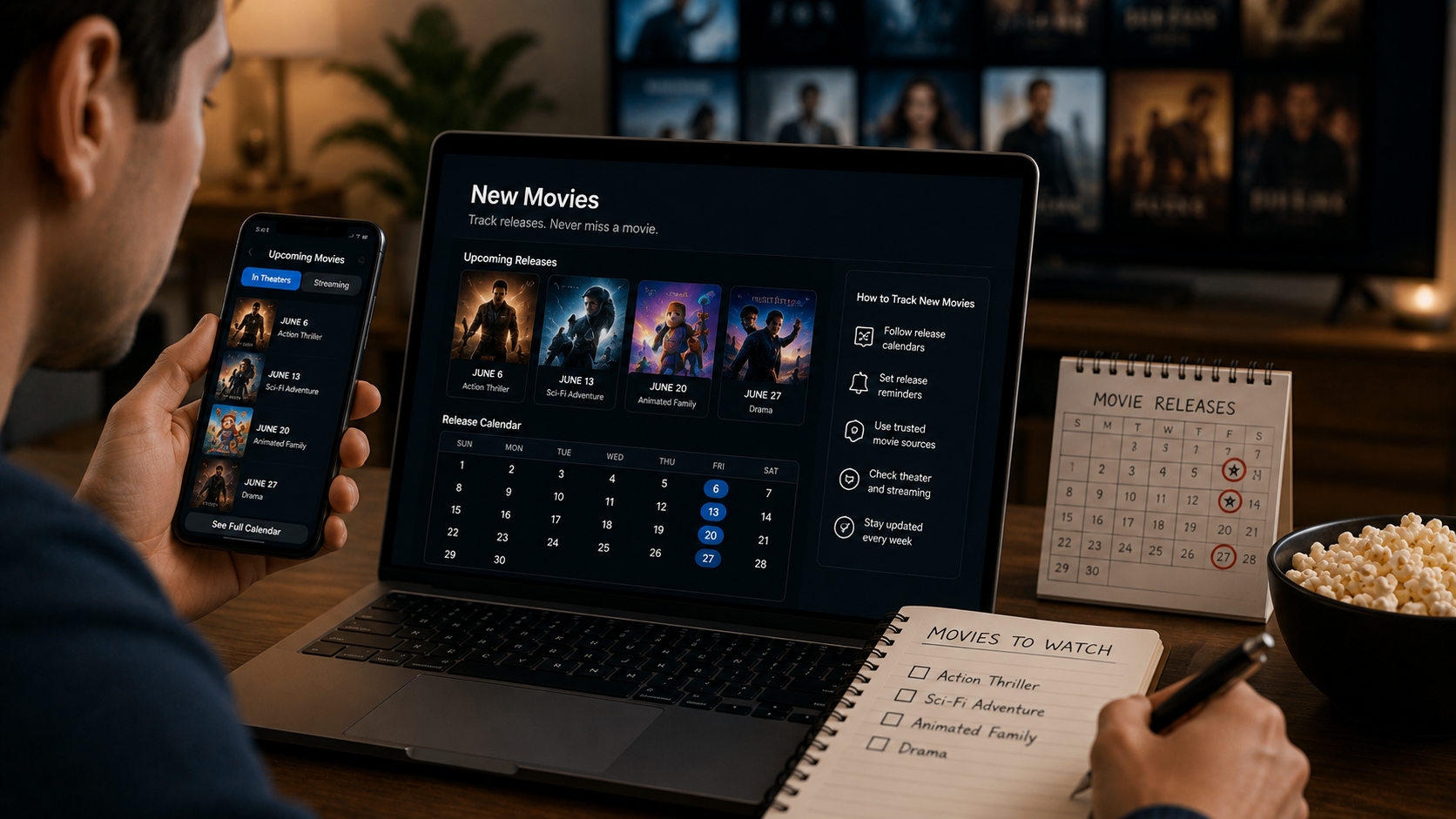
Searching for new movies sounds like it should have a simple answer, but “new” is a moving target that changes every single week. Rather than chasing a list that goes stale almost immediately, it helps to understand how movie release schedules actually work and which tools reliably keep you current, whether you’re looking for something in theaters this weekend or the next big streaming premiere.
Direct Answer: How Do I Find New Movies?
Finding new movies reliably means checking sources built specifically to track release schedules, rather than a general search that may return outdated results. Theatrical releases follow weekly patterns set by studios, generally announced months to over a year in advance, while streaming releases often get confirmed much closer to their actual debut. Dedicated release-tracking sites, ticketing platforms like Fandango, and each major streaming service’s own “Coming Soon” section are the most consistently accurate ways to see what’s new right now.
How Movie Release Schedules Actually Work
Understanding the mechanics behind new movie releases makes it much easier to predict and track them, rather than relying purely on search results that may lag behind reality.
Theatrical releases follow a weekly cadence
Major studios typically release new wide films on Fridays in the U.S., with some high-profile titles opening on Wednesdays around holidays to capture extra opening-week revenue. These dates are usually locked in months, sometimes years, in advance, which is why release calendars for the coming year are often available well ahead of time.
Release dates shift more often than people expect
Even locked-in dates aren’t guaranteed. Studios frequently move films earlier or later in response to competition, marketing timelines, or post-production needs, which is part of why checking a date shortly before you plan to see something matters, rather than relying on information from months earlier.
Streaming releases are announced on shorter timelines
Unlike theatrical dates, streaming premiere dates for new movies are often confirmed just weeks in advance, especially for films that had a theatrical run first and are transitioning to a platform’s library after their exclusive window closes.
Awards season creates a release bottleneck
A large concentration of prestige new movies cluster into limited release in November and December specifically to qualify for that year’s awards season, before expanding to wider theatrical release in January.
The Best Tools for Tracking New Movies
Different tools serve different purposes, and knowing which one fits what you’re actually trying to find saves time.
Ticketing platforms, such as Fandango, show current and upcoming theatrical releases tied directly to real showtimes, making them reliable for anything currently playing or about to open in theaters near you.
Dedicated movie databases, like those maintained by major film reference sites, typically offer the most comprehensive forward-looking release calendars, often listing films months or over a year ahead of their actual release.
Individual streaming platforms’ own listings are the most accurate source for what’s new on that specific service, since third-party aggregators sometimes lag behind a platform’s actual content additions.
Studio and distributor announcements, often shared directly through press releases or official social accounts, are the fastest way to catch a release date change before it filters through to broader coverage.
New Theatrical Releases vs. New Streaming Releases
This distinction matters more than it might initially seem, since these two categories of “new movies” behave very differently.
A new theatrical release means a film is opening in cinemas for the first time, generally with a promotional campaign that’s been building for months. A new streaming release, by contrast, might mean an entirely original film made specifically for a platform, or it might mean a film that already had its full theatrical run months earlier and is only now becoming available to stream. Confusing the two can lead to real frustration, expecting a “new” movie you saw mentioned everywhere to be a fresh release, when it’s actually just newly available on a service you subscribe to.
How to Build a Reliable Habit for Staying Current
A few practical habits make it easier to consistently know what’s new without constantly searching from scratch:
- Check a release calendar weekly rather than daily, since theatrical schedules update on a predictable weekly rhythm rather than constantly shifting day to day.
- Follow specific studios or franchises you care about directly, since official announcements often break before broader release calendars are updated.
- Set platform-specific reminders, if your preferred streaming service supports it, for when a film you’re anticipating actually becomes available rather than relying on memory.
- Cross-check any date you’re planning around, particularly for a film you don’t want to miss opening weekend, since release date shifts happen more often than most people expect.
Good to Know
New doesn’t always mean just made
A film can be new to a specific streaming platform’s library while having existed and been available elsewhere for years, an important distinction if you’re specifically looking for brand-new productions.
Regional release dates can differ significantly
A film’s theatrical or streaming release date in the U.S. doesn’t necessarily match its release elsewhere, so checking region-specific listings matters if you’re outside the United States.
Limited releases expand gradually
Some new movies open in only a handful of theaters before expanding nationwide over the following weeks, which is why a highly discussed film sometimes isn’t yet playing anywhere near you.
Key Facts
- Theatrical releases typically follow a weekly Friday pattern in the U.S., with some titles opening Wednesdays around holidays.
- Release dates are often set months or years in advance but can and do shift closer to the actual date.
- Streaming release dates are generally confirmed much closer to launch than theatrical dates.
- November and December see a concentration of prestige releases timed for awards season eligibility.
- Ticketing platforms and individual streaming services’ own listings tend to be the most accurate, current sources.
- A limited release means a film opens in select theaters first before expanding wider over subsequent weeks.
Frequently Asked Questions
Q1: Where can I find accurate information on new movies?
Ans: Ticketing platforms like Fandango, dedicated movie release calendars, and individual streaming services’ own “Coming Soon” sections tend to offer the most current and reliable information.
Q2: Why do movie release dates change so often?
Ans: Studios frequently adjust release dates in response to competition from other films, marketing timing, or delays in post-production, even after a date has been publicly announced.
Q3: What’s the difference between a new theatrical release and a new streaming release?
Ans: A new theatrical release means a film is opening in cinemas for the first time. A new streaming release could mean an original film made for that platform, or simply a film that’s just become available there after finishing an earlier theatrical run.
Q4: Why isn’t a new movie playing near me yet if it’s already out?
Ans: Some films open in limited release, meaning only a small number of theaters initially, before expanding to more locations over the following weeks.
Q5: How far in advance are theatrical release dates usually announced?
Ans: Major releases are often announced months to over a year ahead of time, though the exact date can still shift as the release approaches.
Q6: Do streaming platforms announce new releases far in advance?
Ans: Generally not as far ahead as theatrical releases. Streaming premiere dates are often confirmed just weeks before a film becomes available.
Key Takeaways
- New movies follow different release patterns depending on whether they’re headed to theaters or streaming first.
- Theatrical releases follow a predictable weekly cadence, while streaming dates are usually confirmed closer to launch.
- Ticketing platforms, dedicated release calendars, and individual streaming services offer the most reliable, current information.
- Release dates shift more often than expected, so checking again close to a planned viewing date is worthwhile.
- Understanding the difference between “newly released” and “newly available to stream” avoids common confusion.
In Short
Keeping track of new movies comes down to using the right tools for the right purpose: ticketing platforms and release calendars for what’s coming to theaters, and each streaming service’s own listings for what’s newly available there. Because release dates shift more often than most people expect, a quick check close to when you’re actually planning to watch something beats relying on information from weeks or months earlier.
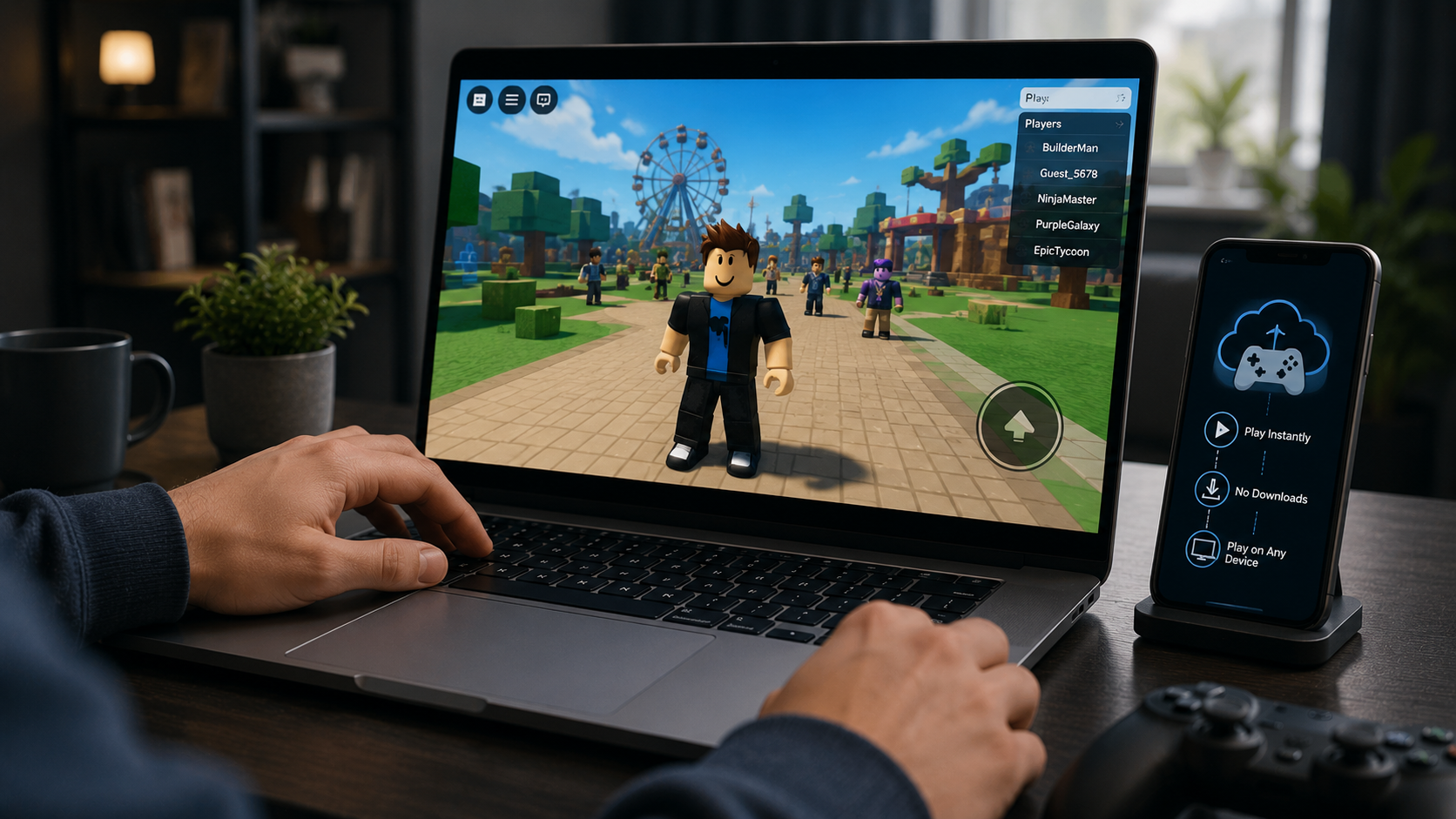
Playing Roblox usually means downloading and installing it first, which isn’t always possible on a school Chromebook, a low-storage phone, or a work computer with restricted permissions. now.gg Roblox offers a workaround: streaming the game through a browser instead. Before jumping in, though, it’s worth understanding exactly how this works, what changed recently, and what to consider before logging in with a real account.
Direct Answer: What Is now.gg Roblox?
now.gg Roblox refers to using now.gg, a cloud gaming platform, to stream and play Roblox directly through a web browser without downloading or installing the game. The platform runs Roblox on remote servers and streams the gameplay to your device in real time, similar to how services like Xbox Cloud Gaming work, but built around mobile-first apps. Notably, Roblox Corporation removed the official Roblox listing from now.gg in 2025, and what’s currently available is an unofficial, third-party version rather than one directly sanctioned by Roblox.
How now.gg Roblox Actually Works
The underlying technology is fairly straightforward. Instead of your device running Roblox locally, now.gg’s cloud servers handle all the processing, graphics rendering, physics calculations, and game logic, and stream a live video feed of the gameplay to your browser. Your inputs, taps, clicks, or keyboard presses, get sent back to the server in real time, which then updates the stream accordingly.
This means the demands on your own device are minimal. A stable internet connection matters far more than your device’s actual processing power, which is why now.gg Roblox gets recommended specifically for older computers, budget phones, and school-issued Chromebooks that couldn’t otherwise run Roblox smoothly.
The Official Listing Removal: What Changed
This is an important detail that’s easy to miss if you’re only skimming general guides. Roblox’s official listing was removed from now.gg in 2025. What remains accessible now is generally described as a third-party version that functions similarly, found by searching “Roblox” within the now.gg platform rather than through an official, Roblox-endorsed integration.
Roblox’s own Terms of Use are explicit that Roblox doesn’t control, endorse, or take responsibility for third-party services, and that using such services falls outside Roblox’s own security or content protections. This doesn’t necessarily mean now.gg Roblox is unsafe, but it does mean the relationship isn’t an official partnership, and any issues that arise from using it fall outside Roblox’s direct support and accountability.
Requirements for Playing Roblox on now.gg
Getting a smooth experience depends less on your hardware and more on your internet connection specifically:
- A stable internet connection, generally recommended at 5 Mbps or higher
- Low latency, ideally under 40ms ping, since high latency causes noticeable lag even on a fast connection
- Any modern web browser, since no downloads or installations are required
- An existing Roblox account to log into, since now.gg streams the game rather than creating a separate account system
One counterintuitive point worth knowing: connection speed alone doesn’t guarantee good performance. A 100 Mbps connection with high latency can actually perform worse than a much slower connection with a strong, low-latency signal, since cloud streaming depends heavily on how quickly your inputs reach the server and return.
Safety and Account Security Considerations
This is worth taking seriously, particularly since Roblox’s player base includes a large number of younger users.
Credential entry happens through Roblox’s own login screen on legitimate versions, according to some sources describing the platform, meaning your username and password are entered directly into Roblox’s authentication system rather than being collected by now.gg itself. Even so, since this now runs through an unofficial, third-party integration rather than an official Roblox partnership, exercising the same caution you would with any third-party service accessing your account makes sense.
Always access now.gg through its official, verified URL. Because now.gg Roblox has become popular enough to generate copycat and mirror sites, some of which may not handle credentials as carefully as the legitimate platform, going directly to the verified now.gg domain rather than clicking links from unclear sources reduces risk significantly.
Two-factor authentication continues to function normally when logging into Roblox through now.gg, according to platform documentation, which is worth enabling on your Roblox account regardless of which method you use to play.
Consider whether the specific context calls for it. If you’re accessing Roblox on now.gg specifically to work around a restriction, whether a school’s device policy or a workplace’s software rules, it’s worth being aware that doing so may not align with those institutions’ actual policies, even if the platform itself is technically accessible.
Current Limitations and Known Issues
A few practical issues are worth knowing about before relying on now.gg Roblox regularly:
Free tier session limits
now.gg introduced queue limits during peak hours for free users in 2026, meaning you may need to wait for server availability during high-traffic periods rather than connecting instantly.
Latency-related lag
Even with a stable connection, some lag is inherent to cloud streaming, and users on unstable or high-latency networks may find the experience noticeably less smooth than playing Roblox natively.
Ongoing platform changes
Since now.gg operates as an unofficial integration following the 2025 listing removal, availability and functionality could change again without the same advance notice an official partnership might provide.
Good to Know
Unblocked doesn’t mean officially sanctioned
now.gg Roblox is often described using unblocked-gaming language, similar to browser-based game hubs used to bypass network restrictions, which is a different thing from being an approved Roblox integration.
Performance depends more on latency than raw speed
If gameplay feels laggy despite a fast internet plan, checking your connection’s ping specifically, rather than just its download speed, is more likely to identify the actual issue.
Your Roblox account and progress stay tied to your actual account
Robux balance, inventory, and progress remain part of your standard Roblox account regardless of whether you access it through now.gg or the official app, since now.gg streams the existing game rather than hosting a separate version of it.
Key Facts
- now.gg is a cloud gaming platform that streams Roblox through a browser rather than requiring local installation.
- Roblox’s official listing was removed from now.gg in 2025, leaving an unofficial third-party version in its place.
- now.gg has operated since 2021 and is backed by known gaming industry investors.
- Recommended requirements include a 5 Mbps or faster connection and under 40ms latency for smooth gameplay.
- Free-tier users may encounter session queue limits during peak hours as of 2026.
- Roblox’s Terms of Use disclaim responsibility for third-party services, including unofficial platforms like now.gg.
Frequently Asked Questions
Q1: What is now.gg Roblox?
Ans: It’s the use of now.gg, a cloud gaming platform, to stream and play Roblox through a web browser without downloading the game, running the game on remote servers instead of your own device.
Q2: Is now.gg Roblox official?
Ans: No, not currently. Roblox Corporation removed the official listing from now.gg in 2025, and what’s available now is an unofficial, third-party version rather than a Roblox-endorsed integration.
Q3: Do I need to download anything to play Roblox on now.gg?
Ans: No. The game runs entirely on now.gg’s cloud servers and streams to your browser, requiring only an internet connection and a compatible browser.
Q4: Is it safe to log into my Roblox account through now.gg?
Ans: Reports describe credentials being entered directly into Roblox’s own login screen rather than being collected by now.gg, though since this runs through an unofficial integration, using the platform’s verified official URL and enabling two-factor authentication are reasonable precautions.
Q5: Why does Roblox lag on now.gg even with fast internet?
Ans: Cloud gaming performance depends heavily on latency (ping), not just download speed. A fast connection with high latency can still cause noticeable lag, more so than a slower connection with a stable, low-latency signal.
Q6: Can I keep my Roblox progress if I switch between now.gg and the regular app?
Ans: Yes. Your account, Robux balance, and progress are tied to your actual Roblox account, not to now.gg specifically, so switching between access methods doesn’t affect your saved data.
Key Takeaways
- now.gg Roblox streams the game through a browser via cloud servers, avoiding the need for local installation.
- The official Roblox listing was removed from now.gg in 2025, leaving an unofficial third-party version currently in use.
- Performance depends more on connection latency than raw internet speed.
- Using the verified official now.gg URL and enabling two-factor authentication are reasonable safety precautions.
- Session limits for free users and ongoing platform changes are worth expecting given the unofficial nature of the current integration.
In Short
now.gg Roblox offers a genuinely useful workaround for playing Roblox on devices that couldn’t otherwise handle it, streaming the game from the cloud rather than requiring local installation. The important context to keep in mind is that this now runs as an unofficial, third-party integration following Roblox’s 2025 removal of its official listing, which means the usual precautions for third-party services, verified URLs, two-factor authentication, and a general awareness that Roblox itself isn’t directly accountable for the experience, are worth taking seriously.
-
 Technology2 months ago
Best Wireless Earbuds Under 200 Dollars 2024: What to Know Before You Buy
-

 News4 months ago
Best Places to See Penguins in the Wild: A Complete Guide
-

 Technology4 months ago
What Is VIPstand? How It Works, Legal Risks, and What You Should Know
-
 News4 months ago
Lake Mead Water Levels: Status, History & Western Impact
-

 Technology4 months ago
Laaster: Meaning, Origins, and What It Says About Harmful Speech
-

 Celebrity4 months ago
Matt Danzeisen: Who He Is, His Career in Finance, and His Life With Peter Thiel
-
 News4 months ago
What Is Epoch Fun? A Complete Guide to the Epoch Times Games Section
-

 Food2 months ago
Best Arroz con Leche Boliviano Near Me: What to Look For